
Hide Your Apps and Lock Your Doors: A guide to keeping your data in the closet
Sat. October 24, 2026 4:23 PM by Gerald Farinas


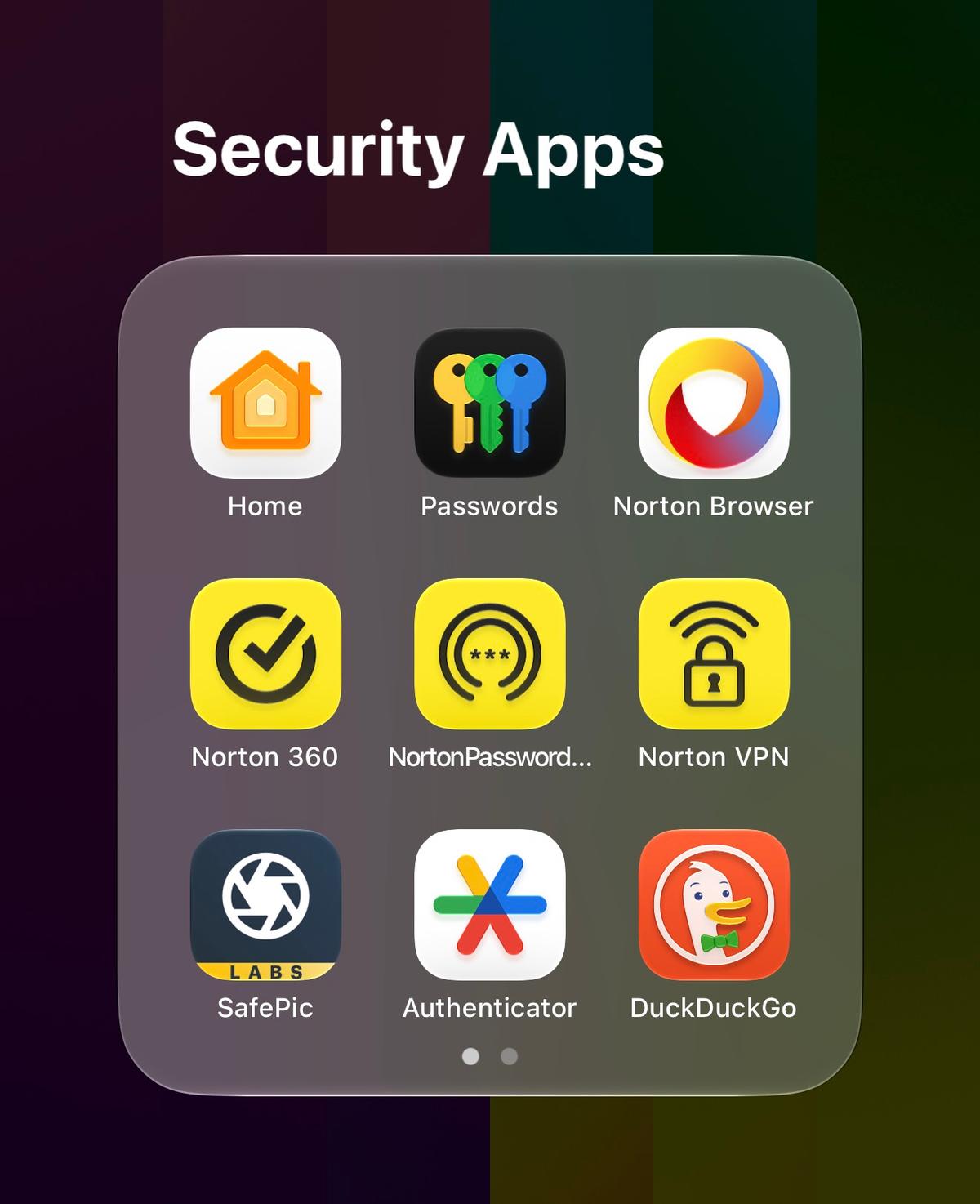
photo credit // gerald farinas
Feature article by Gerald Farinas. Opinions are not necessarily those of GoPride.com.
HONOLULU, HI -
Spending time with my brother this past week in my native Honolulu means catching the little quirks I might have missed otherwise, like watching him inspect every single public Wi-Fi network with the frantic energy of someone convinced the router is personally plotting his downfall. But that kind of high-stakes, tin-foil-hat paranoia is hardly unique to him; it is a very common, very valid anxiety that a lot of folks share about who is getting their information online—especially when the thought of some random cyber-snooper stumbling across your vintage adult entertainment stash or hacking into your calendar to track your routine STI check-ups makes breaking out in a cold sweat feel entirely appropriate.
While I am a public personality whose goings-on are quite open, my brother has real concerns about private data and how big corporations or small-time thieves can use them. This has caused me to do a full audit of all the ways I have to protect financial and healthcare data online. This meant researching the best practices for keeping my digital devices safe.
While many argue that having an Apple or Google ecosystem keeps bad guys out, because conventional wisdom says most scammers target Windows systems, conventional wisdom actually is wrong. Apple devices and Chrombooks do get hit easily with careless logging in and out.
The further evolution of Alexa, Siri, and voice assistants into full-service AI chatbots has also changed the game. Here are some of the steps I took to enhance my security and might be helpful for others, too.
While many don't have the resources to do so, I have owned Norton 360 for many years now. I just haven't really paid attention to how I use it if at all.
I decided to use Norton's password manager to help protect my passwords. It helps keep track of repeated passwords, tells me if passwords are too easy for scammers to detect, and it can even make nonsensical passwords for me that I don't have to remember.
Apart from Norton, password managers are already available for free from Apple and Google. Check your phone. It is probably there and free for you. Other friends swear by products like LastPass, 1Password, and Proton Pass.
Another major step is making sure two-factor is turned on. This turns your phone, face, thumbprint, or even a small physical USB or NFC item into a literal key to get into a device or account. Anyone can guess a password. Adding this key gives a second door to keep bad folks out.
A version of two-factor is the authenticator app. Google, Microsoft, and LastPass have these available. It will create a one-time-use code to create that second door.
Another version of two-factor is a physical hardware security key you carry with you all the time, such as my YubiKey. There are several kinds available out there, including keys with direct USB-C or USB-A plugs for laptops, and wireless NFC versions that you simply tap against your smartphone. Some models even feature a 360-degree rotating cover to accommodate multiple port types, or built-in biometric fingerprint sensors for an extra layer of verification. Need to get into a device or account? Just plug it into your computer or mobile device, or tap your phone to it. This actually can get rid of the need for a password entirely. The challenge, though, is not to lose the device. It is a headache if you do.
Browsing the internet and scrolling through emails are the most common ways bad guys get into your business. That is why I switched to a minimal-tracking browser called Norton Private Browser. It is available in the App Store. Others are quickly adopting the DuckDuckGo browser, too. I love the idea of a second door, so for browsers, it is called a virtual private network, or VPN. A VPN creates a secure, encrypted tunnel between your device and the internet, masking your IP address and shielding your browsing activity from prying eyes on public Wi-Fi networks or internet service providers. Your phone carrier, like Verizon, already has one you can use for free. While I have that, I can also use Norton VPN.
Of course, all the cybersecurity tools in the world won't save you if you leave the analog front door wide open. One of the easiest ways to make sure people don't have access to your info is to make sure your bags aren't showing off your full name and address when you are riding the CTA or walking down Clark Street on your way to brunch at Lady Gregory. Wanna know what I do when I see that kind of stuff? Look you up on the socials and get all the deets on your lifestyle and relationships.
Securing your digital life does not require an advanced degree in cybersecurity or hours of frustrating configuration. By taking cues from the quiet anxieties we all share and implementing simple safeguards—like a reliable password manager, two-factor authentication, and privacy-focused browsing—you create a powerful defense against everyday digital threats. Whether you choose a physical USB-C security key or an authenticator app on your phone, every extra door you lock makes your digital footprint significantly safer for you and your chosen family.
NOTE: This is not sponsored content for the companies mentioned.
While I am a public personality whose goings-on are quite open, my brother has real concerns about private data and how big corporations or small-time thieves can use them. This has caused me to do a full audit of all the ways I have to protect financial and healthcare data online. This meant researching the best practices for keeping my digital devices safe.
While many argue that having an Apple or Google ecosystem keeps bad guys out, because conventional wisdom says most scammers target Windows systems, conventional wisdom actually is wrong. Apple devices and Chrombooks do get hit easily with careless logging in and out.
The further evolution of Alexa, Siri, and voice assistants into full-service AI chatbots has also changed the game. Here are some of the steps I took to enhance my security and might be helpful for others, too.
While many don't have the resources to do so, I have owned Norton 360 for many years now. I just haven't really paid attention to how I use it if at all.
I decided to use Norton's password manager to help protect my passwords. It helps keep track of repeated passwords, tells me if passwords are too easy for scammers to detect, and it can even make nonsensical passwords for me that I don't have to remember.
Apart from Norton, password managers are already available for free from Apple and Google. Check your phone. It is probably there and free for you. Other friends swear by products like LastPass, 1Password, and Proton Pass.
Another major step is making sure two-factor is turned on. This turns your phone, face, thumbprint, or even a small physical USB or NFC item into a literal key to get into a device or account. Anyone can guess a password. Adding this key gives a second door to keep bad folks out.
A version of two-factor is the authenticator app. Google, Microsoft, and LastPass have these available. It will create a one-time-use code to create that second door.
Another version of two-factor is a physical hardware security key you carry with you all the time, such as my YubiKey. There are several kinds available out there, including keys with direct USB-C or USB-A plugs for laptops, and wireless NFC versions that you simply tap against your smartphone. Some models even feature a 360-degree rotating cover to accommodate multiple port types, or built-in biometric fingerprint sensors for an extra layer of verification. Need to get into a device or account? Just plug it into your computer or mobile device, or tap your phone to it. This actually can get rid of the need for a password entirely. The challenge, though, is not to lose the device. It is a headache if you do.
Browsing the internet and scrolling through emails are the most common ways bad guys get into your business. That is why I switched to a minimal-tracking browser called Norton Private Browser. It is available in the App Store. Others are quickly adopting the DuckDuckGo browser, too. I love the idea of a second door, so for browsers, it is called a virtual private network, or VPN. A VPN creates a secure, encrypted tunnel between your device and the internet, masking your IP address and shielding your browsing activity from prying eyes on public Wi-Fi networks or internet service providers. Your phone carrier, like Verizon, already has one you can use for free. While I have that, I can also use Norton VPN.
Of course, all the cybersecurity tools in the world won't save you if you leave the analog front door wide open. One of the easiest ways to make sure people don't have access to your info is to make sure your bags aren't showing off your full name and address when you are riding the CTA or walking down Clark Street on your way to brunch at Lady Gregory. Wanna know what I do when I see that kind of stuff? Look you up on the socials and get all the deets on your lifestyle and relationships.
Securing your digital life does not require an advanced degree in cybersecurity or hours of frustrating configuration. By taking cues from the quiet anxieties we all share and implementing simple safeguards—like a reliable password manager, two-factor authentication, and privacy-focused browsing—you create a powerful defense against everyday digital threats. Whether you choose a physical USB-C security key or an authenticator app on your phone, every extra door you lock makes your digital footprint significantly safer for you and your chosen family.
NOTE: This is not sponsored content for the companies mentioned.